L2 · 3D teardown
Automotive camera lens
Separate the barrel, six elements and sensor module along the optical axis, then locate each element in a paraxial section.
Drag to rotate · Scroll to zoom · Click a part for detailsDrag to rotate · Pinch to zoom · Tap a part for details
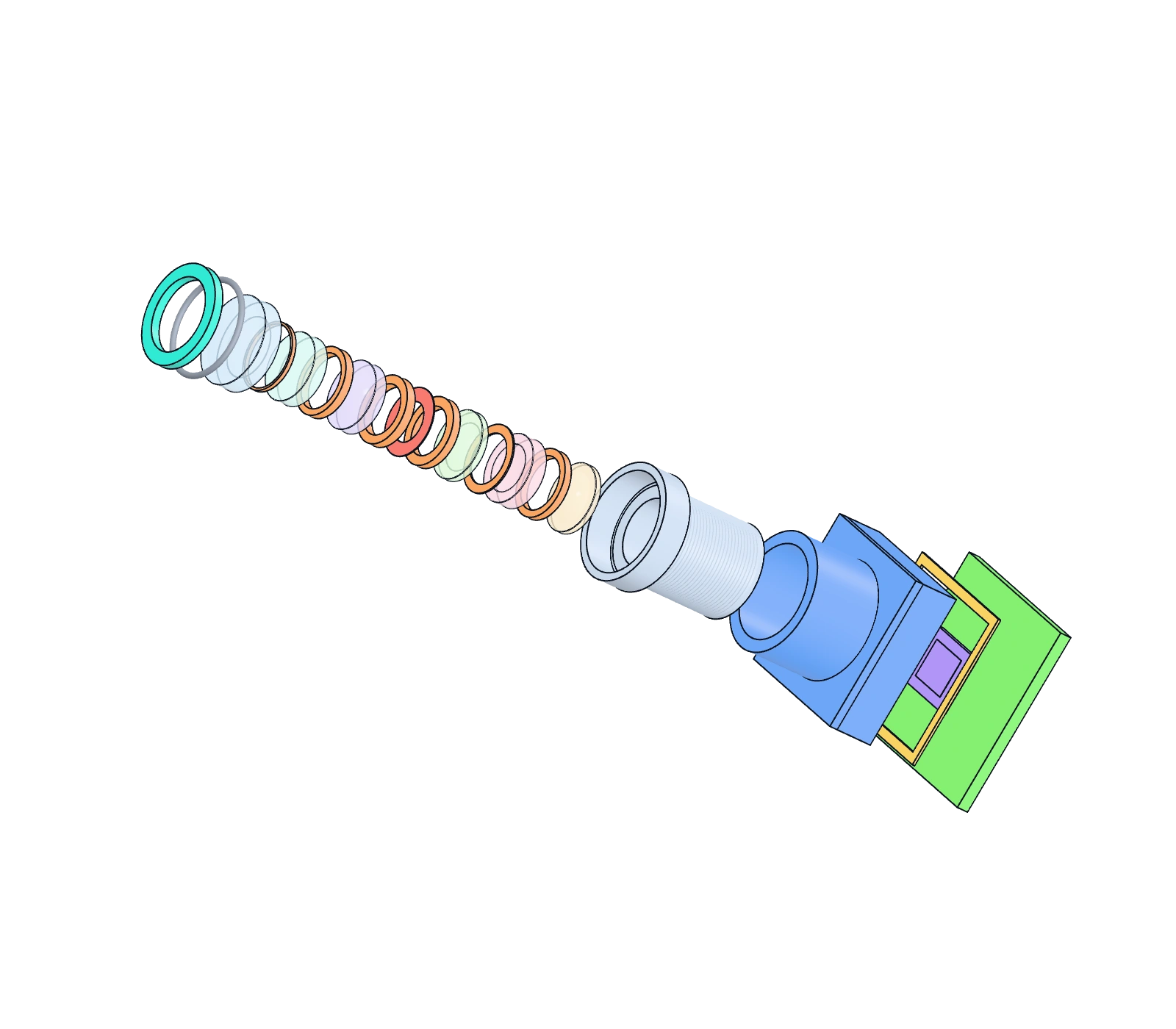
The image keeps the default exploded state; the ray section and part selection remain linked
Separation changes display spacing along the optical axis only. The lens stack leaves the barrel through its front, matching the assembly direction.
Keyboard controls
Arrow keys orbit, plus and minus zoom, Home resets the view. Tab moves between part buttons and optical elements in the section; Enter or Space selects. Arrow keys adjust separation.
Full module: retaining ring, lens stack, barrel, holder, filter, AA adhesive, sensor and PCB spread along the optical axis.
Preparing the 3D view. Part details, the ray section and paraxial data are already available.
Arrow keys orbit, plus and minus zoom, Home resets the view. Tab moves between part buttons and optical elements in the section; Enter or Space selects. Arrow keys adjust separation.
Original generic structure · paraxial illustration · no image-quality calculation
Ray section
Illustrative, not a real optical design
Paraxial bundles for 0°, 15° and 30° fields. Select an element, the stop, the filter or the sensor to highlight it in the model, the part tags and this diagram.
- 0° field
- 15° field
- 30° field
- Glass
- Plastic
Chief rays pass the stop centre
Selected partL1 front glass element
A negative meniscus that collects the wide field and forms the exposed optical surface.